📘 Module 1 · Part 1 · Introduction to Information Technology

The Evolution of Information Technology

From the abacus to artificial intelligence

Trace the incredible journey of computing — the clever tools, brilliant minds, and breakthrough technologies that turned counting beads into the intelligent machines running our world today.

🎬 16 videos 🖼️ 30+ images 📖 3 lessons + glossary 📝 Quiz + Assignment
Learning Outcomes

What you'll be able to do

By the end of this session, you should be able to:

1

Explain how information technology has evolved from early computing to modern digital systems.

2

Identify the five generations of computers and their defining technologies.

3

Describe significant milestones in the history of computing.

4

Appreciate how technological advancements have transformed society and the workplace.

Lesson 1 🕑 ≈ 45 min

Early History of Computing

Long before electricity, humans invented clever machines to count, calculate, and store instructions. These ideas are the DNA of every computer today.

Why start with history? Because nothing about modern computers is truly new — it is the result of thousands of years of small, brilliant steps. The smartphone in your pocket is the descendant of counting beads, gear-driven calculators, and punched cards. Understanding where these ideas came from helps you understand how computers actually work, and reminds us that today's "impossible" problems are tomorrow's ordinary tools.

In this lesson we'll follow the story from the very first counting tools to the machines that finally deserved the name "computer." Watch for a recurring pattern: each inventor solved a real, frustrating problem of their day — and in doing so, left behind an idea we still rely on.

💡 What is Computing?

Computing is the process of using tools or machines to perform calculations, process information, and solve problems. The need to compute is ancient — from counting livestock and trade goods to predicting the seasons and taxing citizens — but the tools we use have transformed dramatically. Early methods began with fingers, pebbles and tally marks, then evolved into mechanical devices that could calculate faster and more reliably than any human. Every one of these tools does the same basic thing a computer does today: it takes in information (input), works on it following fixed rules (processing), and gives back a result (output).

🔍 Deep Dive

Hardware vs. Software

Two words you'll hear all year. Hardware is the physical part you can touch — the beads of an abacus, the gears of a calculator, the chips in a laptop. Software is the set of instructions that tells the hardware what to do — like the punched cards in a Jacquard loom, or the apps on your phone. The Jacquard loom (below) was one of the first machines to clearly separate the two: the same loom (hardware) could weave endless different patterns just by changing the cards (software).

Milestones & inventions

Nine breakthroughs that built the idea of the computer — click any card to read the full story.

🔍 Deep Dive

What is an algorithm?

When Ada Lovelace wrote instructions for Babbage's Analytical Engine, she created the first algorithm — a precise, step-by-step recipe for solving a problem. Every program is built from algorithms. You already use them: a cooking recipe, the steps to solve a long-division problem, or the directions to a friend's house are all algorithms. Computers are simply very fast, very obedient followers of algorithms — they do exactly what the steps say, which is why writing clear, correct steps is the heart of programming.

🎯 Learning Activity — Which inventions still live on?

Many old ideas are still inside the device you're using right now. Tap the inventions whose ideas are still reflected in today's computers, then check your thinking.

Discuss / write: In your notebook, draw a simple timeline of these inventions and, beside each one, note the modern computer feature it inspired.

🎬 Watch & learn
✅ Check your understanding
✍️ Lesson 1 Activity — submit to your instructor

Choose three early computing inventions from this lesson and explain, in your own words, how each one is still reflected in today's computers. Write at least 300 words.

✋ Copy-paste and right-click are turned off in this box — please type your answer yourself.

📊 Word counter

0
words · minimum 300
Start typing your answer…
🎯 Minimum 300 words
🏺 Cover three inventions
✍️ Write in your own words (no pasting)
📧 Sent to your instructor by email
Interactive Timeline Activity 🕑 ≈ 15 min

The Technology Timeline

Follow the milestones from the abacus to artificial intelligence. Click any point on the timeline to see the story behind it — then try re-creating this order yourself in your notebook.

🎯 Your task

On paper, create your own chronological timeline including: Abacus · Pascaline · Difference Engine · ENIAC · Transistor · Integrated Circuit · Microprocessor · Internet · Smartphones · Artificial Intelligence. For each, write the year and one sentence on why it mattered. Compare with the interactive timeline above to check yourself.

Lesson 2 🕑 ≈ 40 min

The Five Generations of Computers

Each "generation" is defined by the core technology used to build the computer. As that technology shrank and sped up, computers became smaller, faster, cheaper, and smarter. Let's meet the first three.

Historians divide the age of electronic computers into five generations, each marked by a leap in the technology used to process information. The pattern is remarkably consistent: a new component appears that is smaller, faster, cheaper and more reliable than the last — and suddenly computers can do far more, for far more people. Keep that pattern in mind as we go; it explains why a machine that once filled a room now fits on your wrist.

First Generation · 1940–1956

Vacuum Tubes

ENIAC · UNIVAC

  • Built with vacuum tubes for circuitry and magnetic drums for memory
  • Enormous — a single machine could fill an entire room
  • Programmed in machine language (raw 1s and 0s); input via punched cards
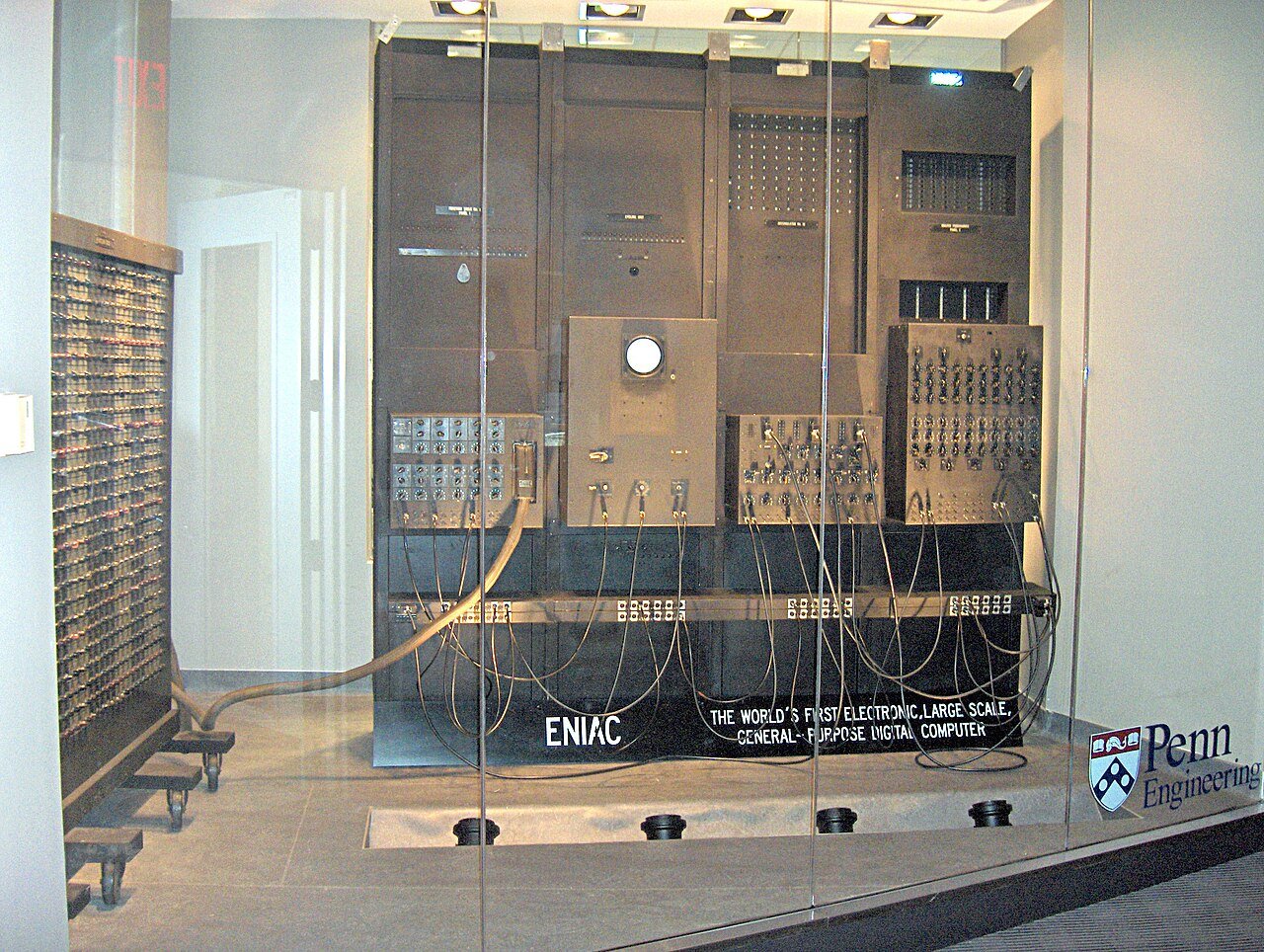
  • ENIAC (1945) had ~18,000 vacuum tubes; UNIVAC (1951) was the first commercial computer
✅ AdvantagesThe fastest calculating devices of their era; made electronic, programmable computing possible for the first time.
⚠️ LimitationsHuge, hugely expensive, power-hungry, gave off enormous heat, and the tubes burned out constantly.
ENIAC, first-generation vacuum-tube computer
ENIAC — the first large-scale electronic computer
Second Generation · 1956–1963

Transistors

Smaller · faster · more reliable

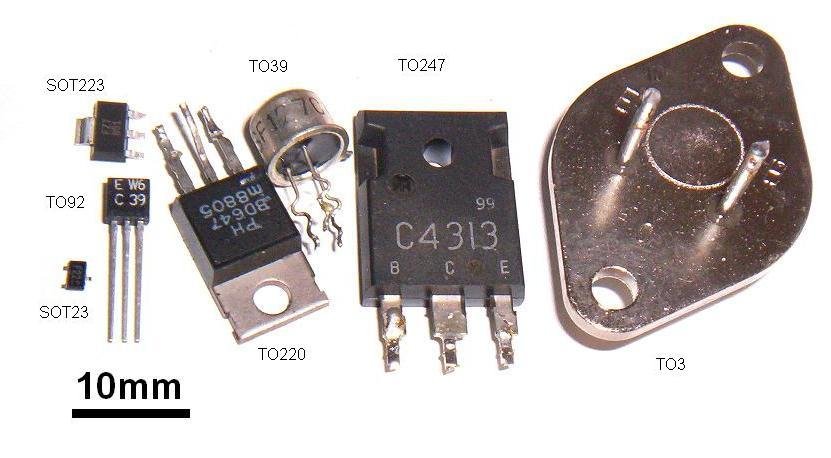
  • The transistor (invented 1947 at Bell Labs) replaced bulky vacuum tubes
  • Computers became far smaller, faster, cheaper & more energy-efficient
  • Generated much less heat and were dramatically more reliable
  • First high-level languages appeared: COBOL (business) and FORTRAN (science)
  • Example machines: IBM 1401, IBM 7090
✅ AdvantagesSmaller, cheaper, cooler and more reliable; easier to program thanks to high-level languages.
⚠️ LimitationsStill needed air-conditioning and skilled operators; mostly used by large companies and governments.
Early transistor
The transistor — smaller, cooler, and far more reliable
Third Generation · 1964–1971

Integrated Circuits

The chip arrives

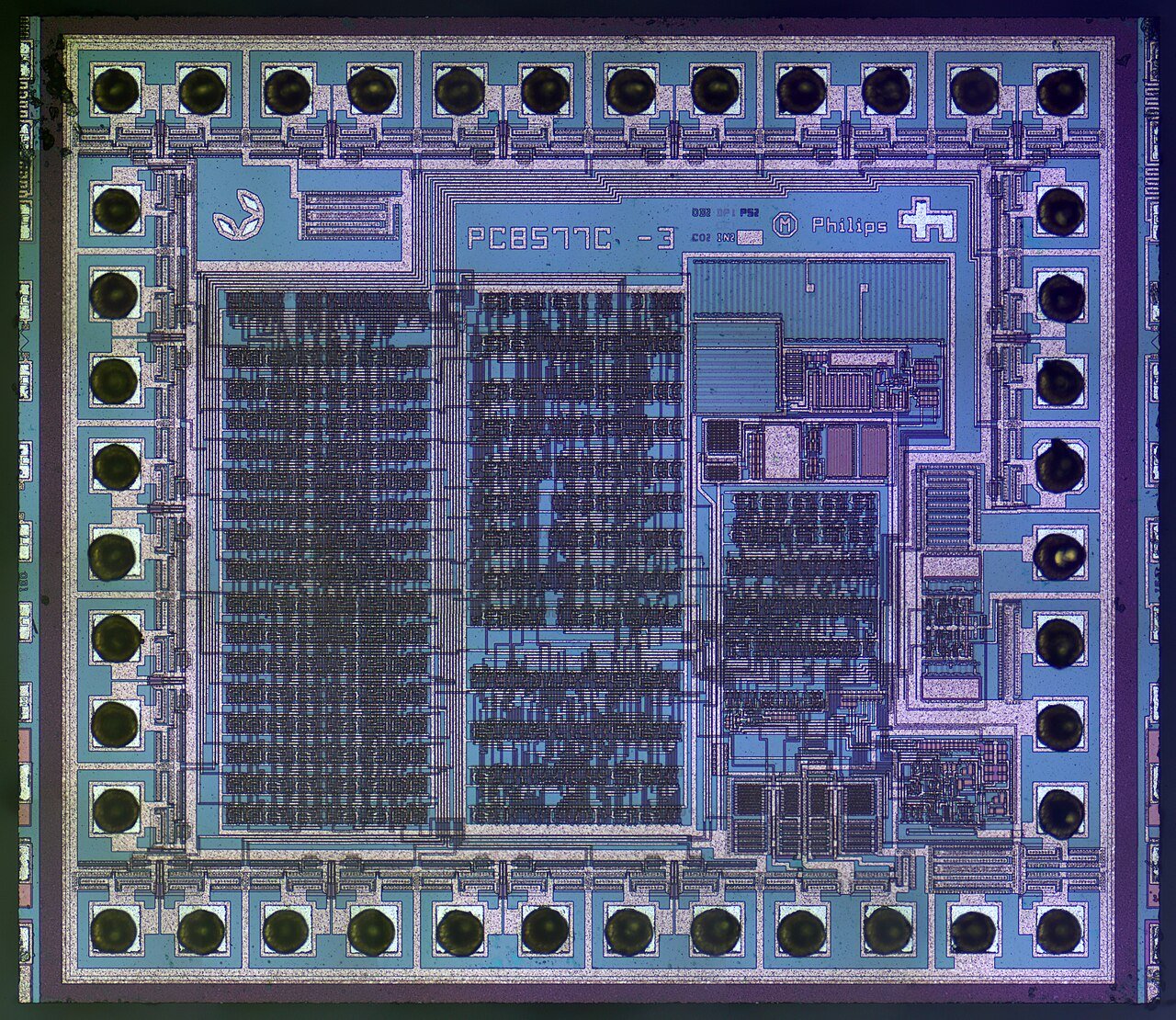
  • Many transistors packed onto a single integrated circuit (IC) or "chip"
  • Computers got even smaller, cheaper & more powerful
  • Introduced operating systems and multiprogramming (running several tasks at once)
  • Keyboards and monitors replaced punched cards for interaction
  • Example machine: the hugely successful IBM System/360 family
✅ AdvantagesSmaller, more reliable and affordable; operating systems made computers far easier to use.
⚠️ LimitationsStill too costly for individuals; the personal computer was yet to come.
Integrated circuit chip
The integrated circuit — many transistors on one chip
🔍 Deep Dive

Moore's Law — why computers keep getting better

In 1965, Intel co-founder Gordon Moore noticed that the number of transistors that engineers could fit on a chip was roughly doubling every two years — and predicted it would continue. This became known as Moore's Law. For decades it held true, which is why each new phone or laptop is faster and cheaper than the last. It's the engine behind the whole "smaller, faster, cheaper" pattern of the generations.

🎯 Learning Activity — Comparison table

Complete a comparison of the first three generations. Tap any hidden cell to reveal the answer — or reveal all at once. Try to recall each answer before you tap!

Feature1st Generation2nd Generation3rd Generation
Period1940–19561956–19631964–1971
Core technologyVacuum tubesTransistorsIntegrated circuits
Example machineENIAC / UNIVACIBM 1401IBM System/360
Size & costRoom-sized, very costlySmaller & cheaperSmaller still, more affordable
LanguageMachine languageCOBOL, FORTRANHigh-level + operating systems
🎬 Watch & learn
✅ Check your understanding
✍️ Lesson 2 Activity — submit to your instructor

Compare the first three generations of computers. Explain how computers changed from the 1st to the 3rd generation, and why each new technology (vacuum tubes → transistors → integrated circuits) was an improvement. Write at least 300 words.
✋ Copy-paste and right-click are turned off in this box — please type your answer yourself.

📊 Word counter

0
words · minimum 300
Start typing your answer…
🎯 Minimum 300 words
💡 Cover all three generations
✍️ Write in your own words (no pasting)
📧 Sent to your instructor by email
Lesson 3 🕑 ≈ 45 min

Fourth & Fifth Generation Computers

This is the era you live in — from the first personal computers on every desk to artificial intelligence in your pocket.

The first three generations put computers into laboratories, governments and big businesses. The fourth generation put them into homes. The fifth — the one unfolding right now — is teaching them to think. These last two generations have changed daily life faster and more deeply than anything before them.

Fourth Generation · 1971–present

Microprocessors & the Personal Computer

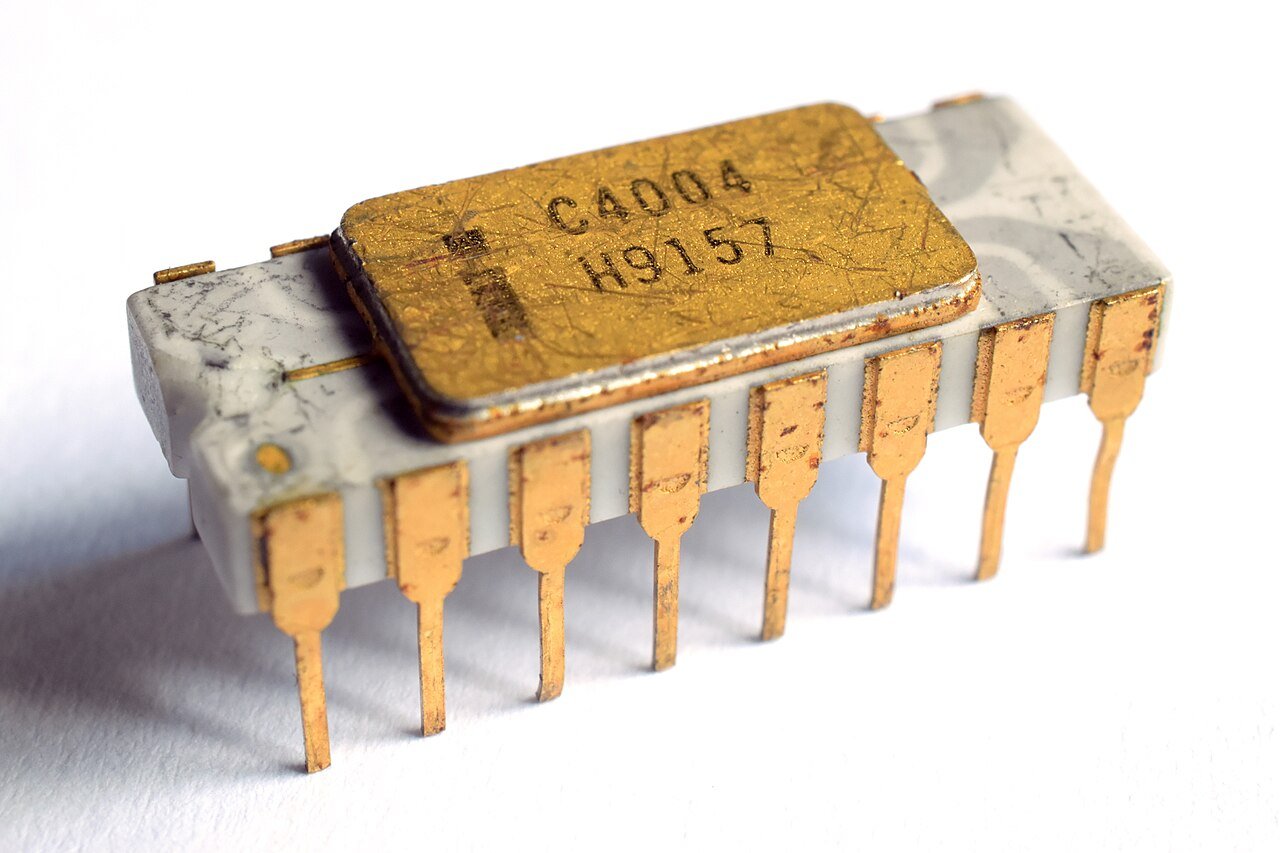
  • The microprocessor put an entire CPU on a single chip (Intel 4004, 1971)
  • Personal computers brought computing into homes and offices
  • The IBM PC (1981) set the standard for business computing
  • Apple and Microsoft Windows made computers friendly and visual (the GUI)
  • Computers connected together into networks and, eventually, the internet
✅ AdvantagesSmall, powerful and affordable enough for everyone; graphical interfaces made them easy to use.
⚠️ LimitationsMachines still mostly do exactly what they're told — they don't truly "understand" or learn on their own.
Intel 4004 microprocessor
The Intel 4004 — the first commercial microprocessor
🔍 Deep Dive

The GUI — why you don't type commands to open an app

Early computers were controlled by typing text commands. The Graphical User Interface (GUI) — pioneered at Xerox and popularised by Apple and Microsoft Windows — replaced that with windows, icons, menus and a mouse pointer. Suddenly anyone could use a computer without memorising commands. Tapping an app on your phone is the direct descendant of this idea.

Fifth Generation · present & beyond

Artificial Intelligence & Beyond

  • Artificial Intelligence & Machine Learning — computers that learn from data instead of being told every step
  • Robotics — machines that sense and act in the real world
  • Cloud Computing — power and storage delivered over the internet
  • Quantum Computing — a radically new way to compute using physics
  • Internet of Things (IoT) — everyday objects connected online
✅ AdvantagesMachines can now recognise speech and images, make predictions, and automate complex tasks.
⚠️ LimitationsAI can be biased, make confident mistakes, and raises new questions about privacy, jobs and ethics.
Artificial intelligence
The fifth generation is defined by intelligence, not just speed
💬 Discussion — How is AI changing our world?

Tap each area to see how artificial intelligence is transforming it — and a question to discuss with your classmates.

All five generations at a glance
GenerationPeriodCore technologyExampleKey milestone
First1940–1956Vacuum tubesENIAC, UNIVACFirst electronic computers
Second1956–1963TransistorsIBM 1401Smaller machines; COBOL & FORTRAN
Third1964–1971Integrated circuitsIBM System/360Operating systems & multiprogramming
Fourth1971–presentMicroprocessorsIBM PC, ApplePersonal computers & the internet
Fifthpresent & beyondAI & beyondModern AI systemsMachine learning, cloud, IoT, quantum
🎬 Watch & learn
✅ Check your understanding
People 🕑 ≈ 10 min

The Minds Behind Computing

Technology doesn't invent itself. Meet four of the visionaries whose ideas made the modern computer possible.

Key Terms 🕑 ≈ 10 min

Glossary — the words that matter

The essential vocabulary of this module. Type to search for a term, and keep this section handy while you study.

No terms match your search.
Summary

Recap & key takeaways

The big ideas to remember from this module.

🧠 In a nutshell

  • Information technology evolved over thousands of years — from counting tools to intelligent machines — through many small, brilliant steps.
  • Early inventions gave us ideas we still use: place value (abacus), binary (Leibniz), stored programs / punched cards (Jacquard, Hollerith), CPU + memory architecture (Babbage, von Neumann), and software itself (Lovelace).
  • Computers are grouped into five generations, each defined by its core technology: vacuum tubes → transistors → integrated circuits → microprocessors → artificial intelligence.
  • Every generation followed the same pattern — smaller, faster, cheaper, and more capable (see Moore's Law).
  • Today's fifth generation — AI, cloud, IoT and quantum — is transforming education, healthcare, business, programming and daily life.
Assessment · 10 points

Quick Quiz

Five questions, two points each. Pick an answer to see instant feedback — the correct choice will light up green.

0 / 10
Answer the questions above to see your score.
Assignment · Submit next meeting

“Technology That Changed the World”

Choose one historical computing invention and write a reflection of at least 600 words (≈ 2–3 pages). Pick your invention below to see your writing prompts.

1 · Choose your invention

2 · Answer these questions in your reflection

    3 · Write & submit your reflection

    ✋ Copy-paste and right-click are turned off in this box — please type your answer yourself.

    📊 Word counter

    0
    words · minimum 600
    Start typing your reflection…
    🎯 Length: minimum 600 words (≈ 2–3 pages)
    📚 Include at least two references
    ✍️ Write in your own words (no pasting)
    📧 Sent to your instructor by email

    ✍️ Tip

    Explain why your invention mattered and give a real example of how it affects your life today. List your two references at the end.

    Video Library

    All 16 supplementary videos

    Every video from this module in one place. Click to watch — from trusted educational channels like Crash Course, Veritasium, Kurzgesagt, Computerphile & IBM.